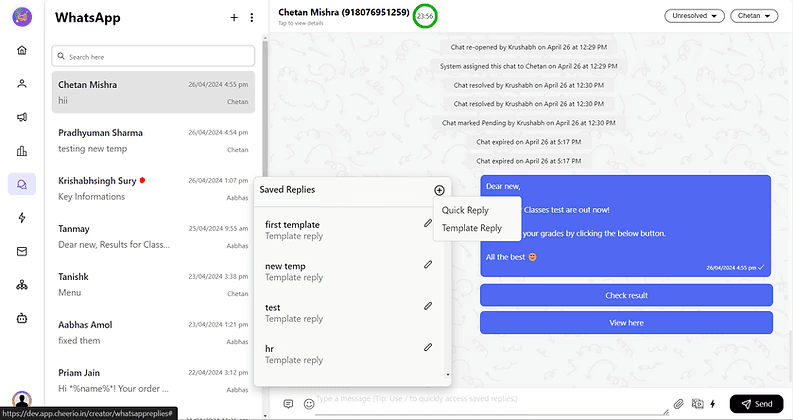
How to launch campaigns on Cheerio.

On Cheerio, you can launch campaigns for your customers using 3 channels. Email, SMS, and WhatsApp.


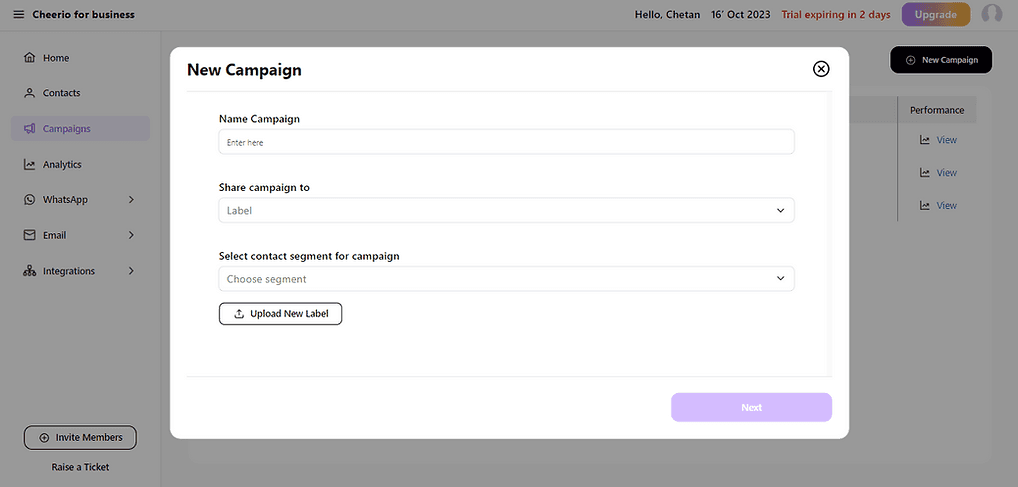
1. Go to the campaigns from the side menu & click the run campaign button on the top right
ree


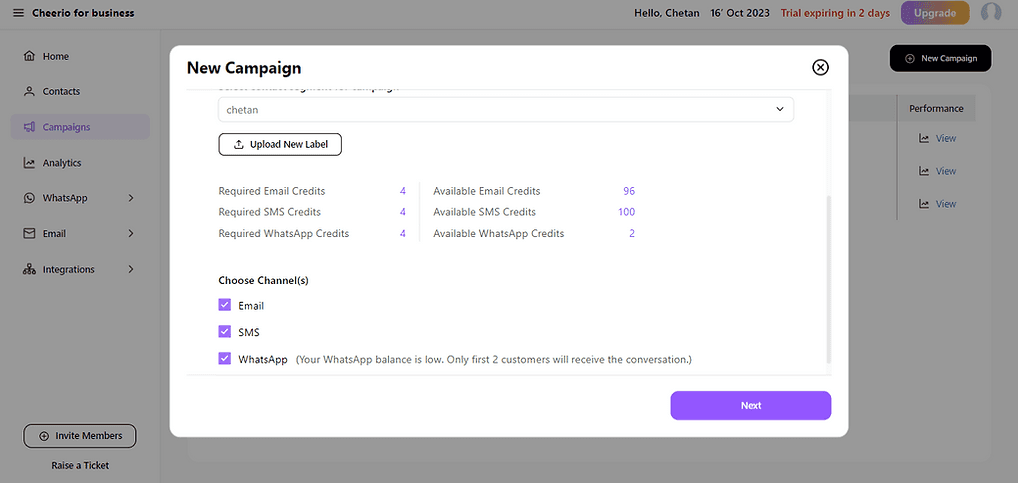
2. Name your campaign & choose a label/ tag(s) you want to target. After selecting you will see your target audience details & channel to target.
ree


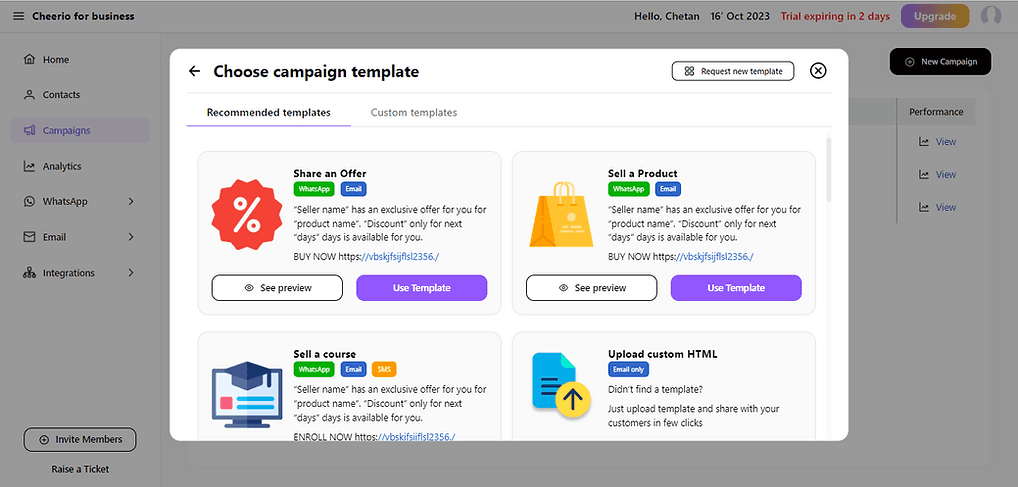
3. Select a template as per your choice (You can create your custom templates or directly use pre-uploaded templates from the library)
ree


4. Fill up the required template details and generate the preview
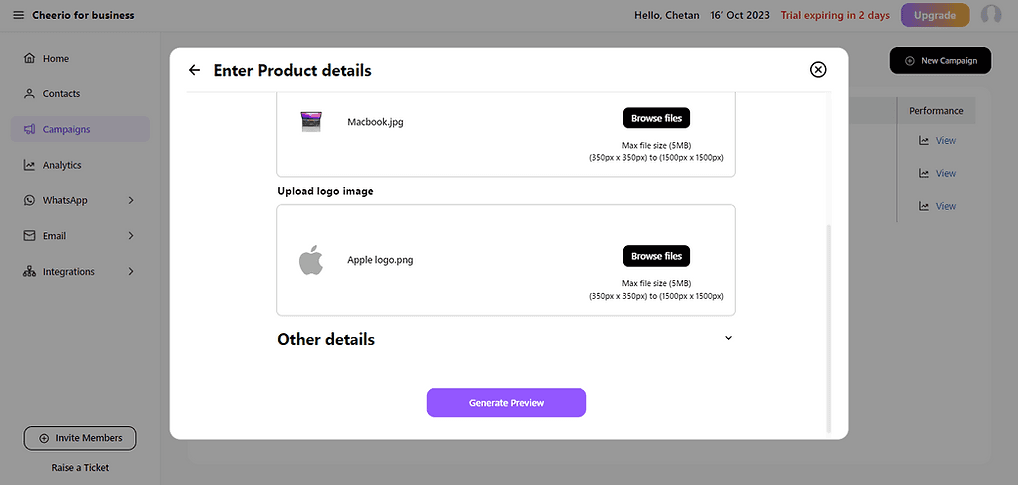
ree


5. You will have stunning-looking previews for email, SMS, and WhatsApp in seconds.

ree


6. Verify details before launching campaigns
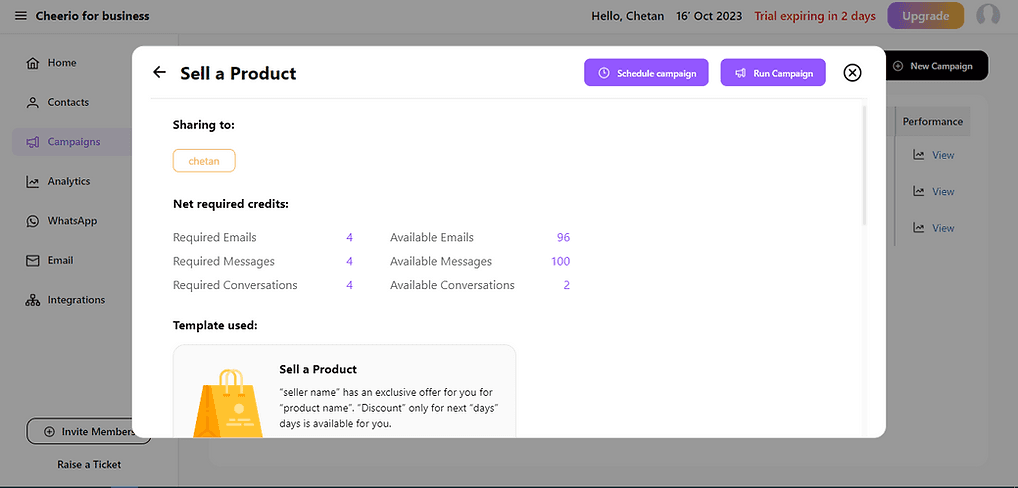
ree


7. Click on a run campaign to launch.
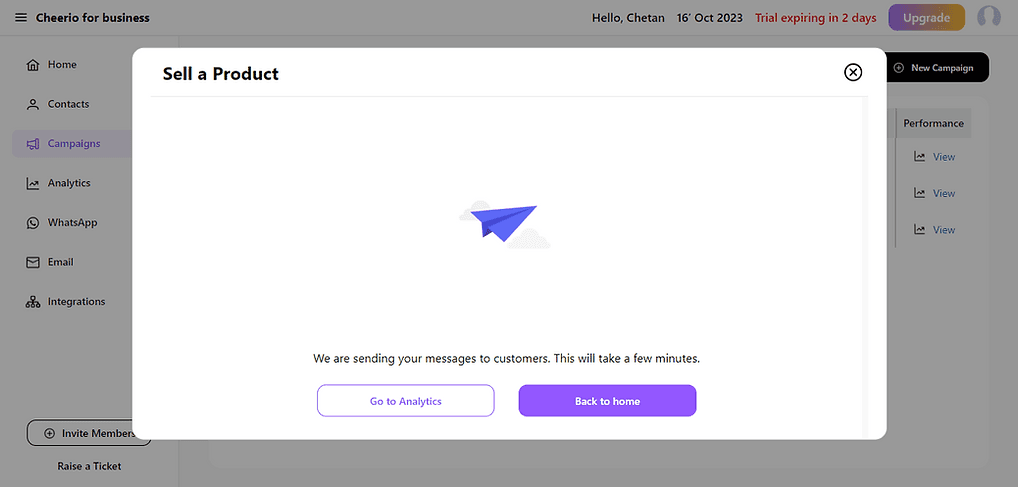
ree

Great, You have successfully launched your first campaign. Now you can check detailed analytics by clicking the "Go to analytics" button.
Recommended for You

How to create and manage custom contact attributes on Cheerio?

December 14, 2025

How do you create and deploy an AI Assistant on WhatsApp or Instagram?

December 14, 2025

How to create canned responses (Quick responses) in Cheerio's Team Inbox?

January 6, 2026

Pricing

Resources

Case Studies

Login
Book a Demo

See Cheerio AI in action

Schedule a demo to explore how Cheerio runs enterprise workflows across your systems and channels.

Book a demo

Trusted by enterprise teams running workflows at scale.

Running enterprise workflows with clarity and control.

admin@cheerio.in

Pages

Home

Pricing

Blogs

Guides

Case Studies

Appendix

Privacy Policy

Terms & Conditions

Refund Policy

Support

Onboarding

Social

Linkedin

Instagram

Youtube

© 2026 Cheerio AI. All rights reserved.

Designed by Moonkraft Studio

See Cheerio AI in action

Schedule a demo to explore how Cheerio runs enterprise workflows across your systems and channels.

Book a demo

Trusted by enterprise teams running workflows at scale.

Running enterprise workflows with clarity and control.

admin@cheerio.in

Pages

Home

Pricing

Blogs

Guides

Case Studies

Appendix

Privacy Policy

Terms &

Conditions

Refund Policy

Support

Onboarding

Social

© 2026 Cheerio AI. All rights reserved.

Designed by Moonkraft Studio

See Cheerio AI in action

Schedule a demo to explore how Cheerio runs enterprise workflows across your systems and channels.

Trusted by enterprise teams running workflows at scale.

Book a demo

Running enterprise workflows with clarity and control.

admin@cheerio.in

Pages

Home

Pricing

Blogs

Guides

Case Studies

Appendix

Privacy Policy

Terms & Conditions

Refund Policy

Support

Onboarding

Social

Linkedin

Instagram

Youtube

© 2026 Cheerio AI. All rights reserved.

Designed by Moonkraft Studio