How to setup WhatsApp API Channel for your business on Cheerio AI
Setting up a pixel on Cheerio AI is quite simple and easy, but before that, you have to configure a few things on your Facebook Events Manager. Here are the steps for you to follow.
1. Log in to your Facebook Business Manager at business.facebook.com
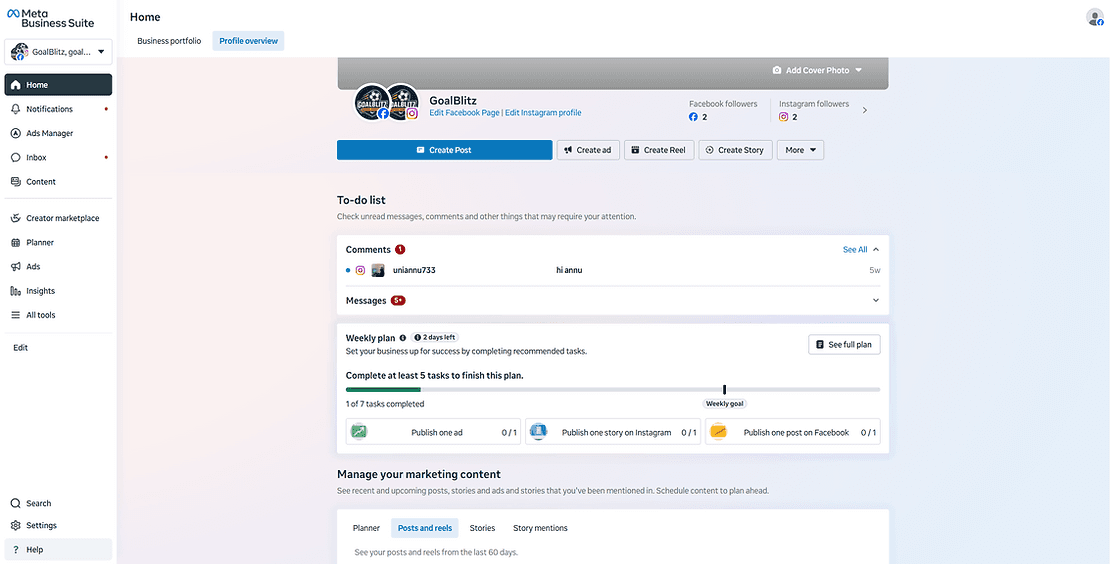
2. Go to all tools > Events Manager
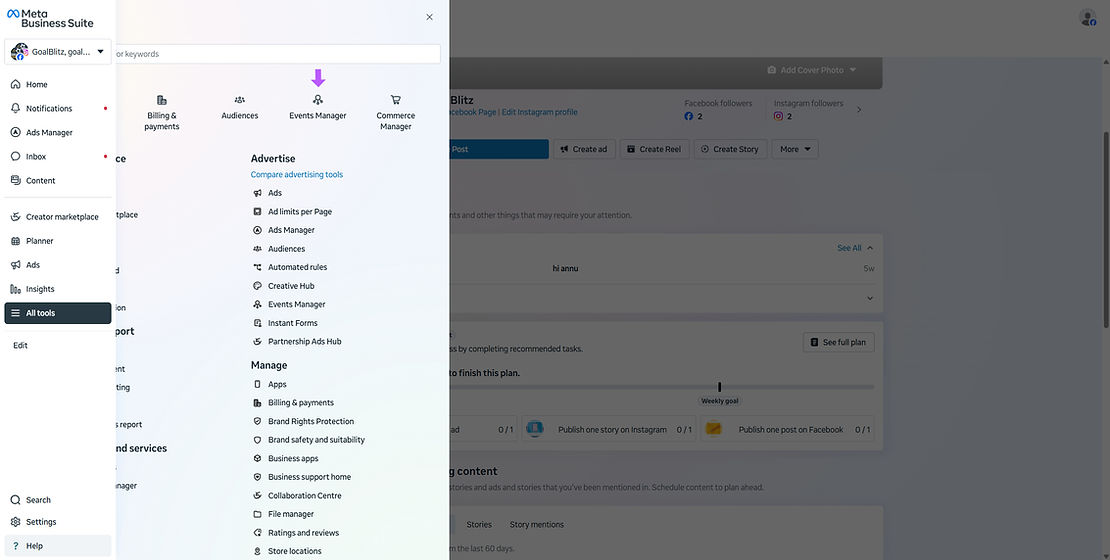
3. Facebook will open the events manager in a new tab
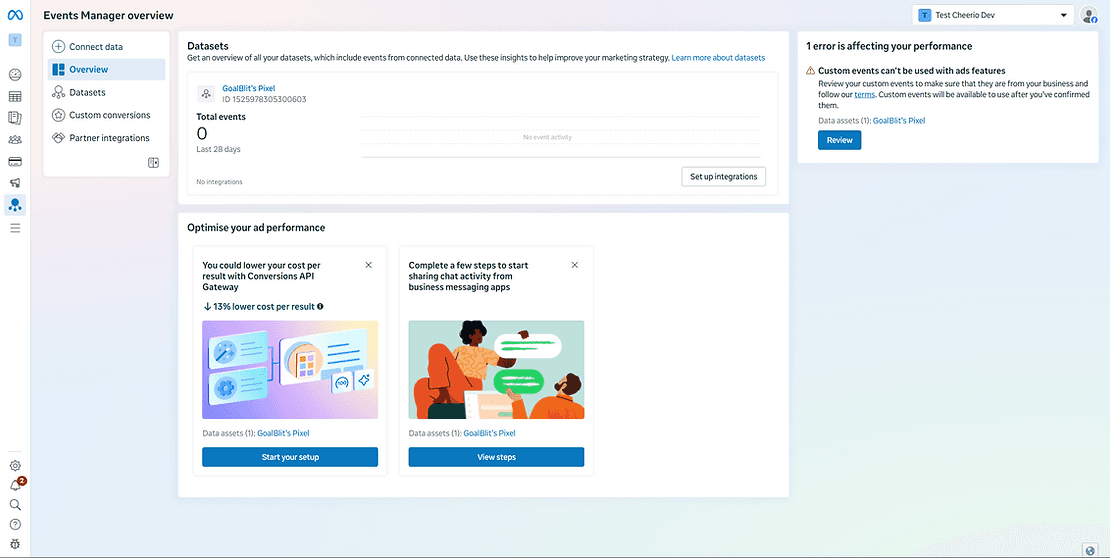
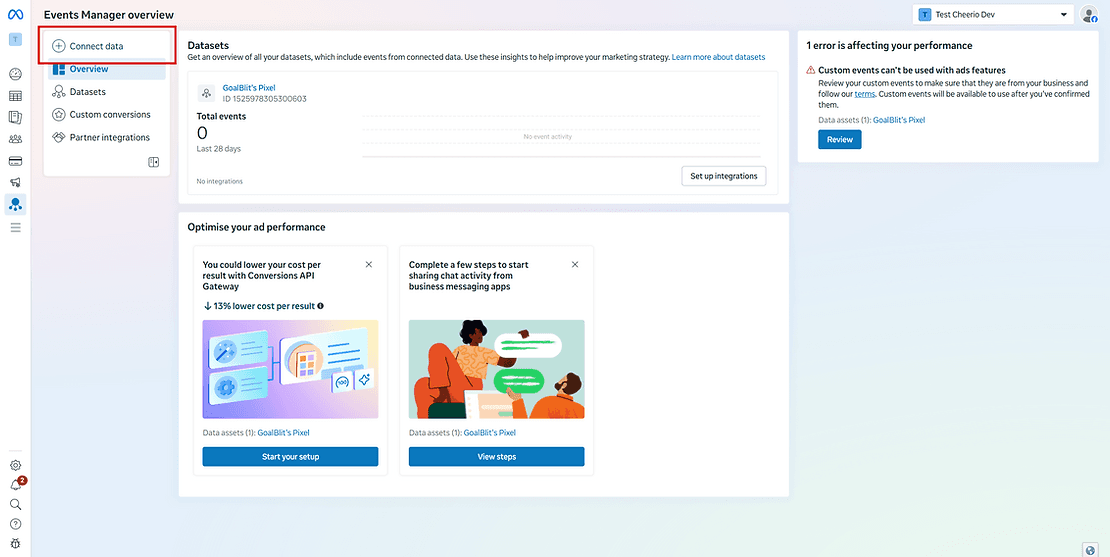
4. Click on the CONNECT DATA button at the top left.
5. Select Messaging as an option because we will be sending data from WhatsApp & Instagram
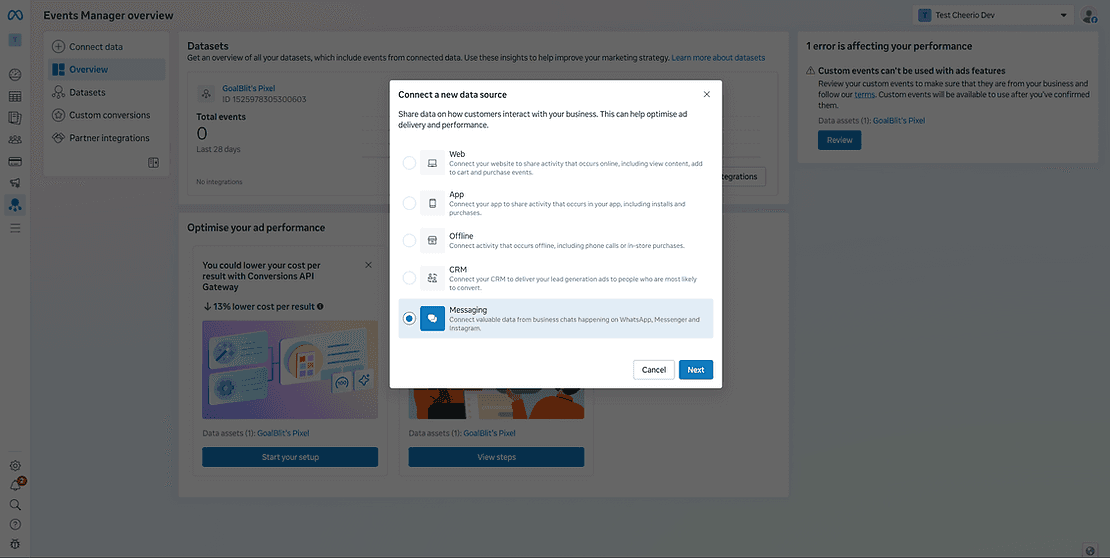
6. Select the Facebook page if you're setting up for WhatsApp, and Instagram when creating CTD Ads
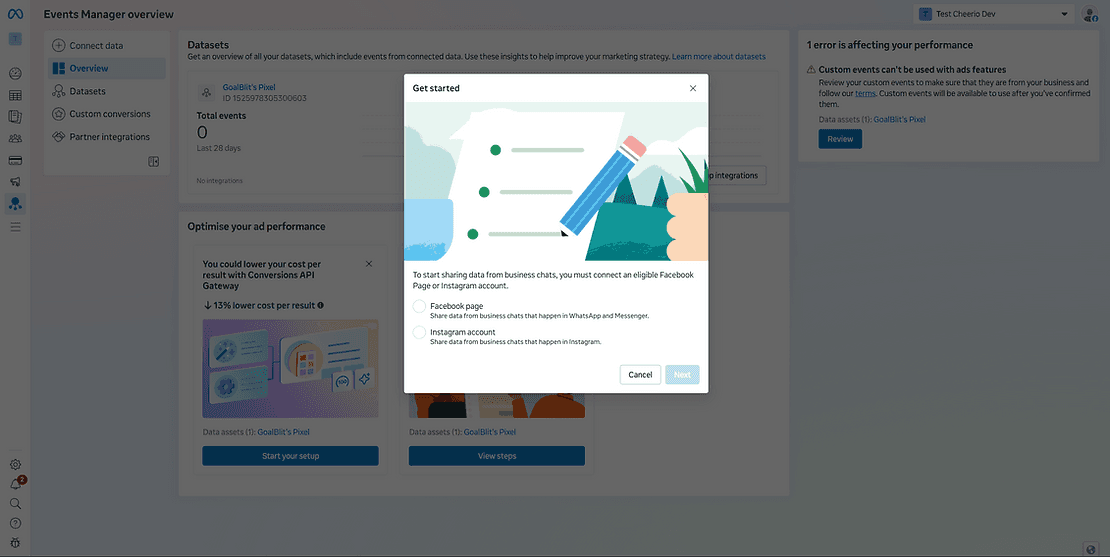
Select the page here (Make sure to use the same page you're using for running the ads). If the pages are different, your setup will be completed, but Facebook will not receive any details
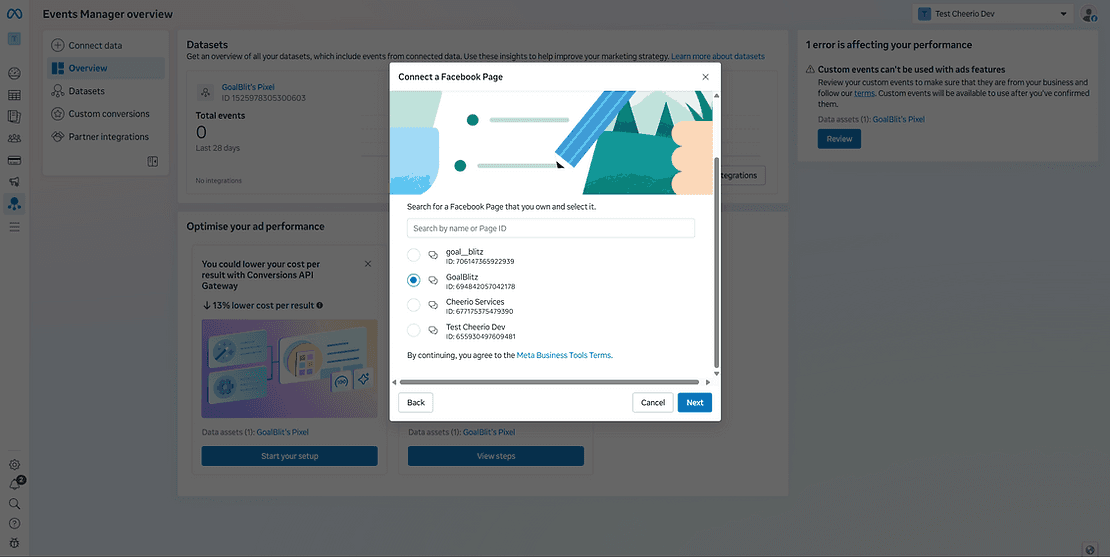
8. Select the dataset in which you want details to be updated. In case you don't have any existing dataset, simply create a new dataset.
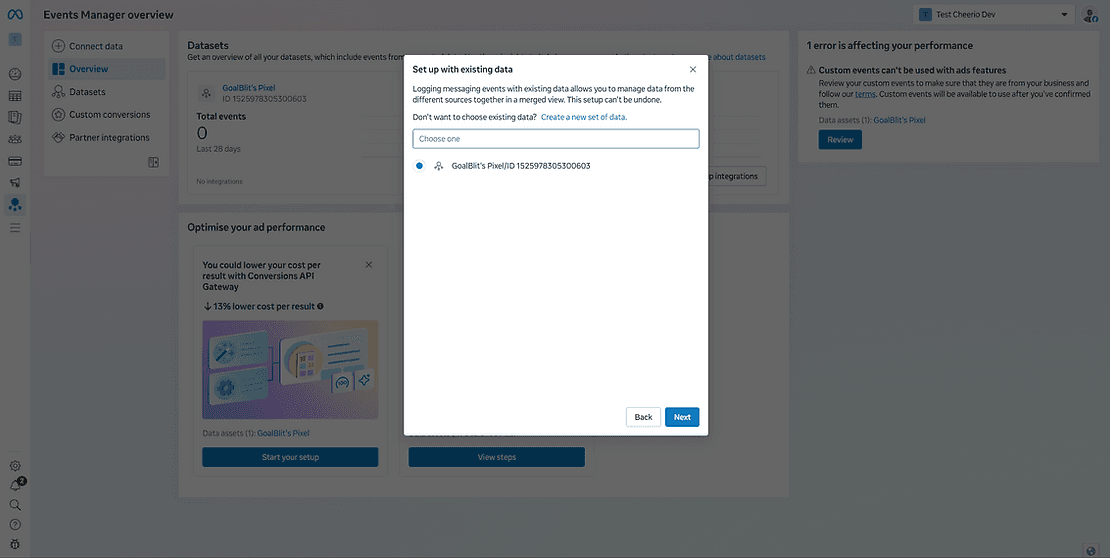
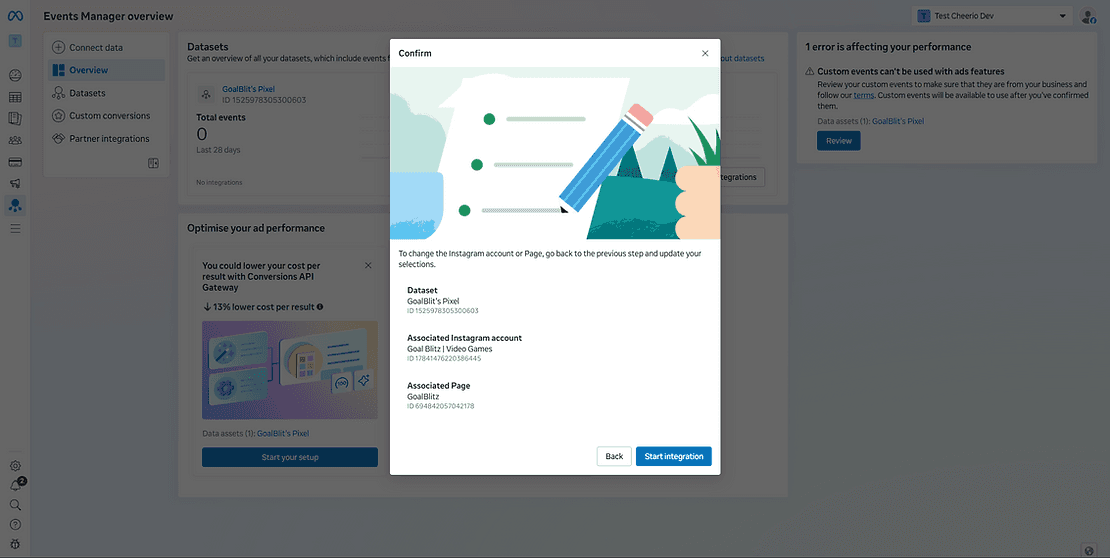
9. Select the Instagram account at this step, or you can skip if you don't have an Instagram account connected with the same Facebook page

10 That's it, your setup on Events Manager is completed. Now we have to set up another one on Cheerio
Setting up a pixel on Cheerio AI is quite simple and easy, but before that, you have to configure a few things on your Facebook Events Manager. Here are the steps for you to follow.
1. Log in to your Facebook Business Manager at business.facebook.com
2. Go to all tools > Events Manager
3. Facebook will open the events manager in a new tab
4. Click on the CONNECT DATA button at the top left.
5. Select Messaging as an option because we will be sending data from WhatsApp & Instagram
6. Select the Facebook page if you're setting up for WhatsApp, and Instagram when creating CTD Ads
Select the page here (Make sure to use the same page you're using for running the ads). If the pages are different, your setup will be completed, but Facebook will not receive any details
8. Select the dataset in which you want details to be updated. In case you don't have any existing dataset, simply create a new dataset.
9. Select the Instagram account at this step, or you can skip if you don't have an Instagram account connected with the same Facebook page
10 That's it, your setup on Events Manager is completed. Now we have to set up another one on Cheerio