How to setup drip campaigns using workflow?

On Cheerio, you can now create drip campaigns across WhatsApp and Email using the "campaign sent" node in workflows.


Remember that you can create a drip campaign only after a campaign has already been sent. You can align more campaigns after an existing campaign only.


Below are the steps you have to follow to create a drip campaign.


1. Send a campaign to your contact list using the usual campaign-sending process.

2. Once your campaign is sent & completed, now you can proceed with creating a drip campaign ahead of the sent campaign.

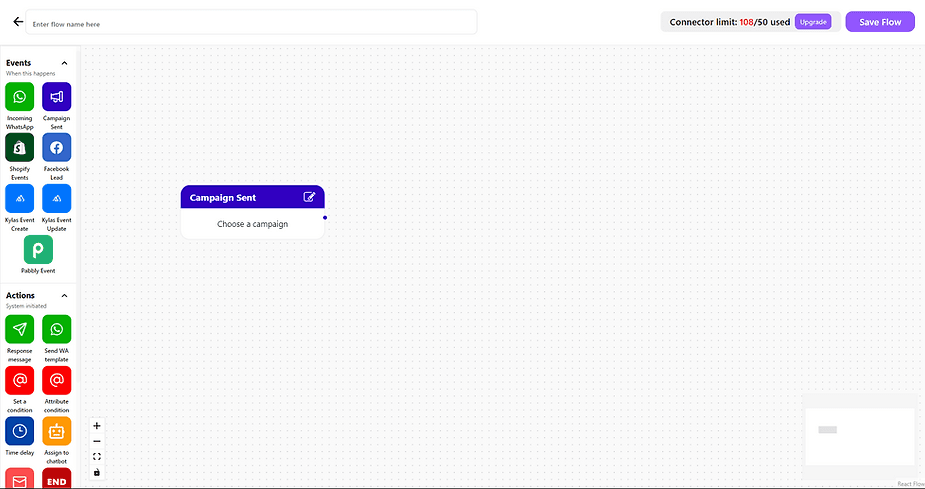
3. Create a new workflow & drag the "Campaign sent" node from events to get started.
ree


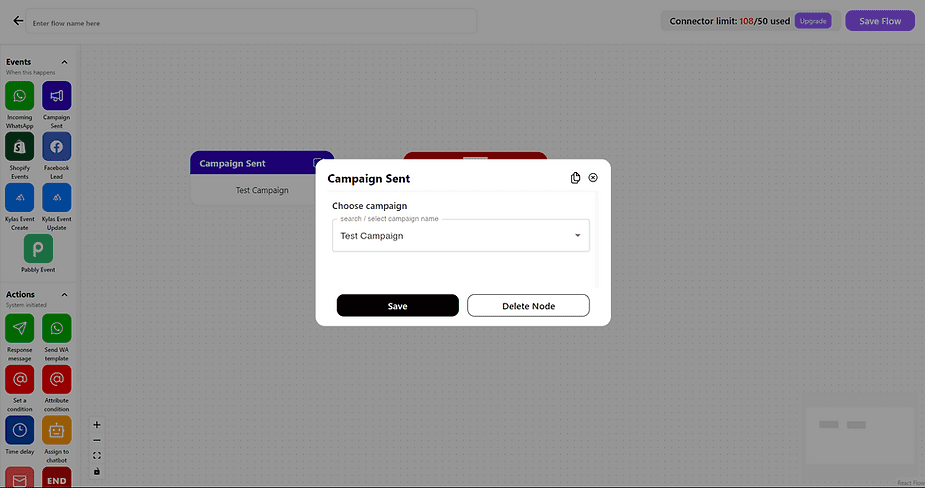
4. Choose the campaign you want to create a drip with.
ree


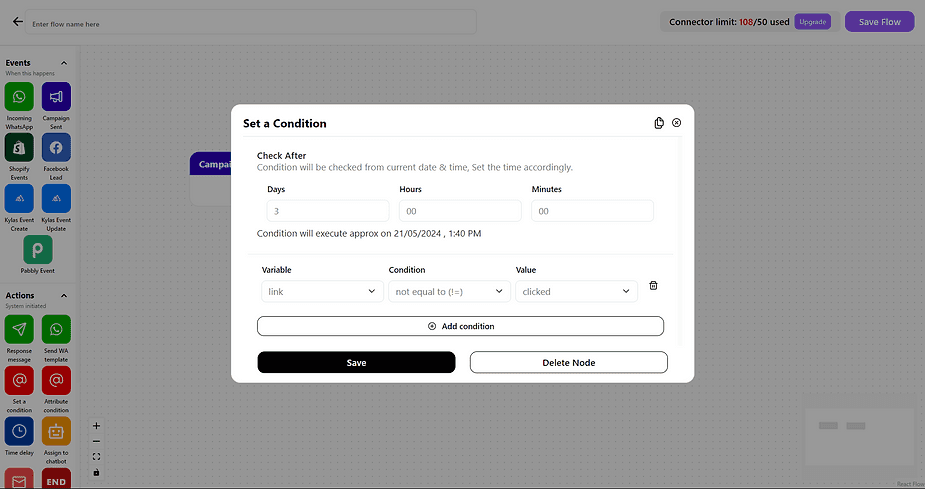
5. Drag the " Conditions" node from action & set the desired conditions
ree

For example, we want to create a drip for the recipients who didn't click the button or link even after 3 days after the campaign so here condition can be Check after 3 days If (Link)!=(clicked) & save


6. Add a relevant action as per your requirement after the condition node
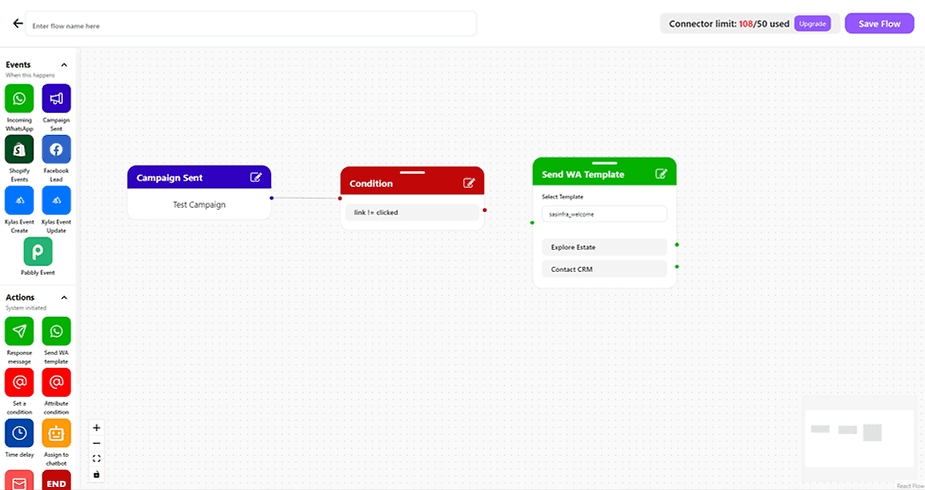
ree


7. Repeat the step (5 and 6) if you want to go down with another level of drip.


8. Save the flow and you're good to go. Your drip campaign will be sent automatically if all the conditions are met
Recommended for You

How to create and manage custom contact attributes on Cheerio?

December 14, 2025

How to launch campaigns on Cheerio.

December 14, 2025

How do you create and deploy an AI Assistant on WhatsApp or Instagram?

December 14, 2025

Pricing

Resources

Case Studies

Login
Book a Demo

See Cheerio AI in action

Schedule a demo to explore how Cheerio runs enterprise workflows across your systems and channels.

Book a demo

Trusted by enterprise teams running workflows at scale.

Running enterprise workflows with clarity and control.

admin@cheerio.in

Pages

Home

Pricing

Blogs

Guides

Case Studies

Appendix

Privacy Policy

Terms & Conditions

Refund Policy

Support

Onboarding

Social

Linkedin

Instagram

Youtube

© 2026 Cheerio AI. All rights reserved.

Designed by Moonkraft Studio

See Cheerio AI in action

Schedule a demo to explore how Cheerio runs enterprise workflows across your systems and channels.

Book a demo

Trusted by enterprise teams running workflows at scale.

Running enterprise workflows with clarity and control.

admin@cheerio.in

Pages

Home

Pricing

Blogs

Guides

Case Studies

Appendix

Privacy Policy

Terms &

Conditions

Refund Policy

Support

Onboarding

Social

© 2026 Cheerio AI. All rights reserved.

Designed by Moonkraft Studio

See Cheerio AI in action

Schedule a demo to explore how Cheerio runs enterprise workflows across your systems and channels.

Trusted by enterprise teams running workflows at scale.

Book a demo

Running enterprise workflows with clarity and control.

admin@cheerio.in

Pages

Home

Pricing

Blogs

Guides

Case Studies

Appendix

Privacy Policy

Terms & Conditions

Refund Policy

Support

Onboarding

Social

Linkedin

Instagram

Youtube

© 2026 Cheerio AI. All rights reserved.

Designed by Moonkraft Studio