How to setup Messenger Channel on Cheerio AI

On Cheerio AI, you can connect your Instagram Business Account by following the steps below.


Pre-requisites for the connection

  1. An Active Instagram Business/Creator Account

  2. An Instagram Account must be linked with a Facebook Business Page

  3. The Instagram Mobile App requires a few permissions


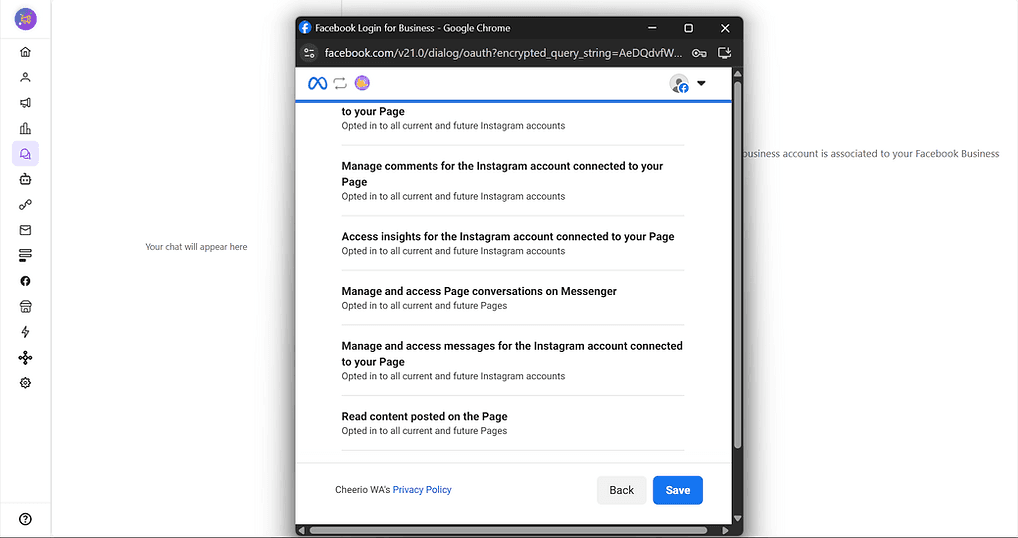
Step 1: Log in to your account and click on Messenger Inbox. You will be redirected to an Installation page.
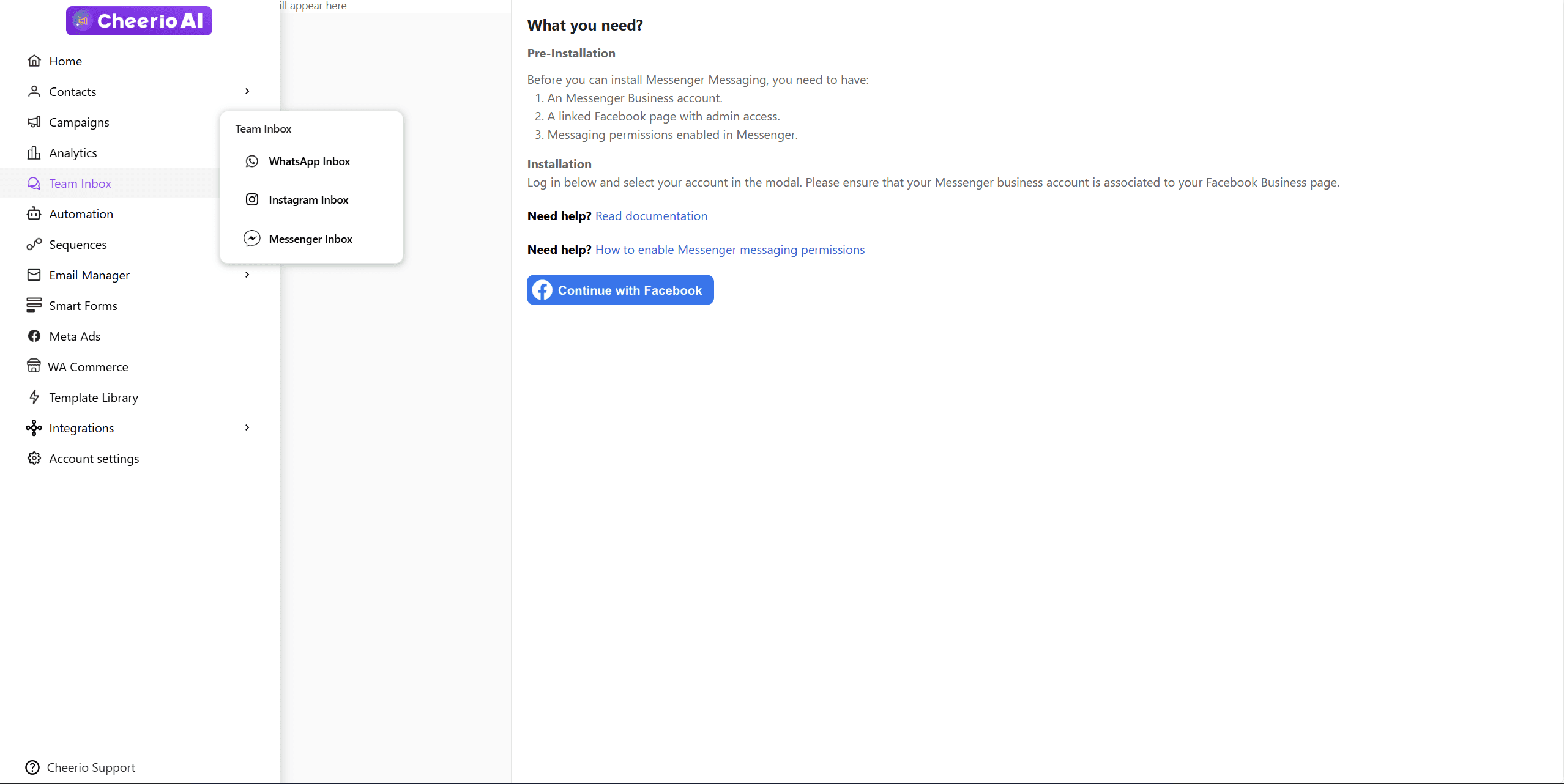

Step 2: Click on continue with Facebook. A Facebook login pop-up will appear
ree


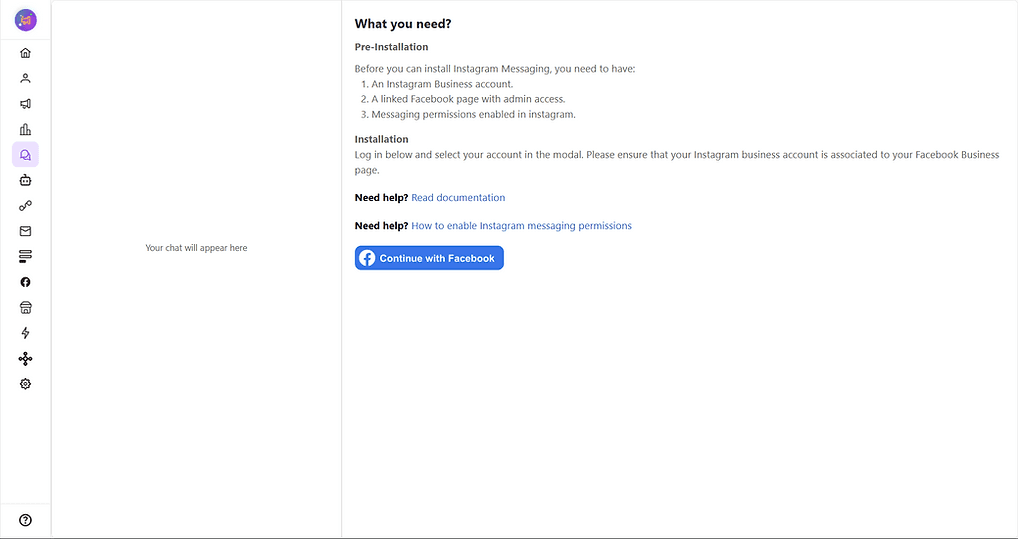
Step 3: Continue with your Facebook business account, which has an Instagram & Facebook page connected.

ree


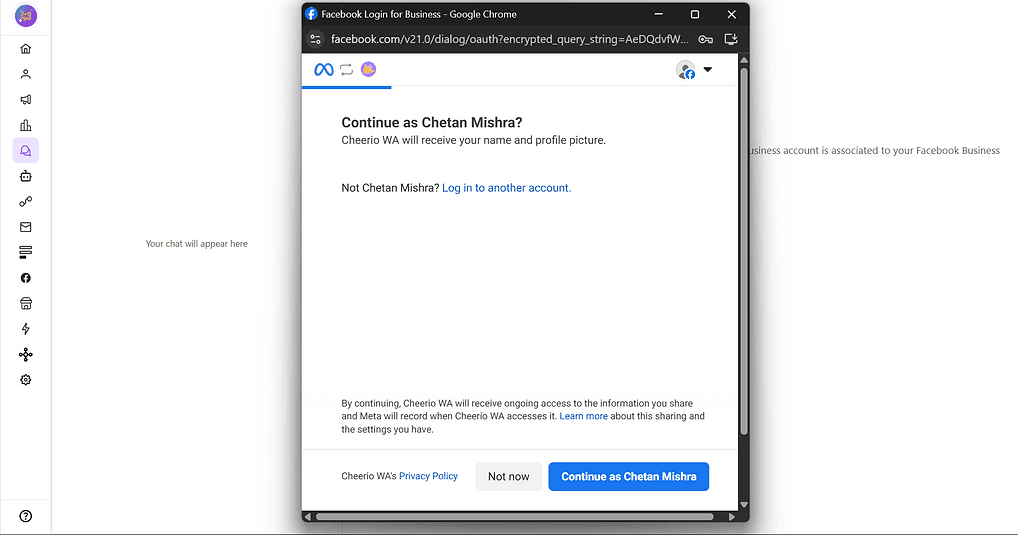
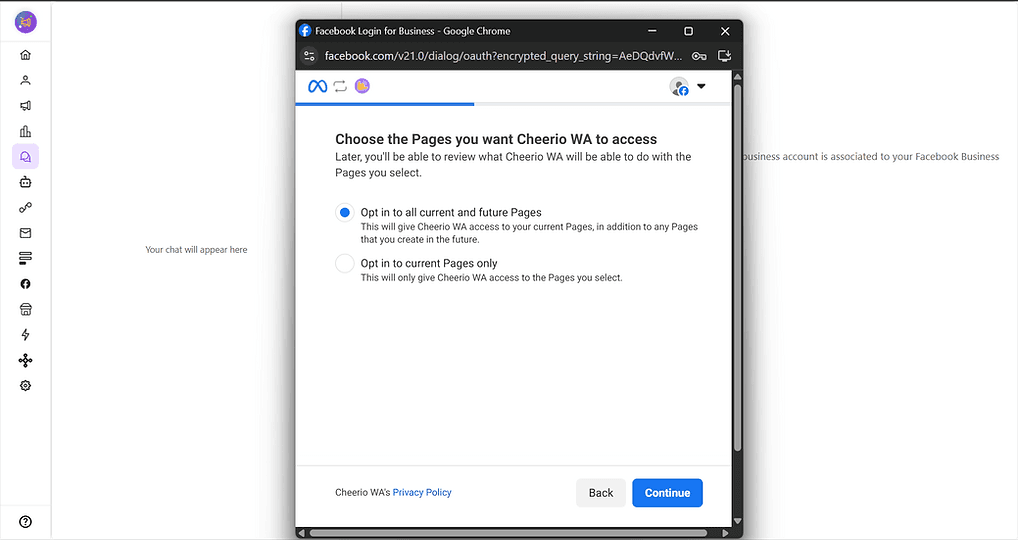
Step 4: Grant all the necessary permissions to continue
ree


ree


ree


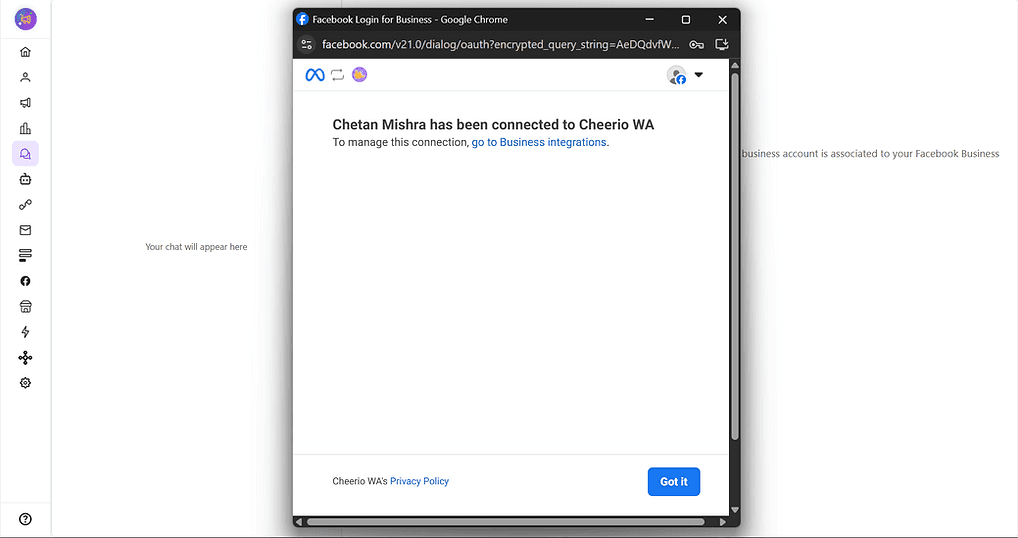
Step 5: Your account will be connected to Cheerio, but to continue receiving and sending DM messages.

ree


Step 7: You will receive a message on Cheerio.

ree


If not, reach out to our support team at support@cheerio.in

On Cheerio AI, you can connect your Instagram Business Account by following the steps below.


Pre-requisites for the connection

  1. An Active Instagram Business/Creator Account

  2. An Instagram Account must be linked with a Facebook Business Page

  3. The Instagram Mobile App requires a few permissions


Step 1: Log in to your account and click on Messenger Inbox. You will be redirected to an Installation page.


Step 2: Click on continue with Facebook. A Facebook login pop-up will appear

ree


Step 3: Continue with your Facebook business account, which has an Instagram & Facebook page connected.

ree


Step 4: Grant all the necessary permissions to continue
ree


ree


ree


Step 5: Your account will be connected to Cheerio, but to continue receiving and sending DM messages.
ree


Step 7: You will receive a message on Cheerio.

ree


If not, reach out to our support team at support@cheerio.in