On Cheerio, you can invite your team members & set permissions for them
Go to account settings from navigation menu
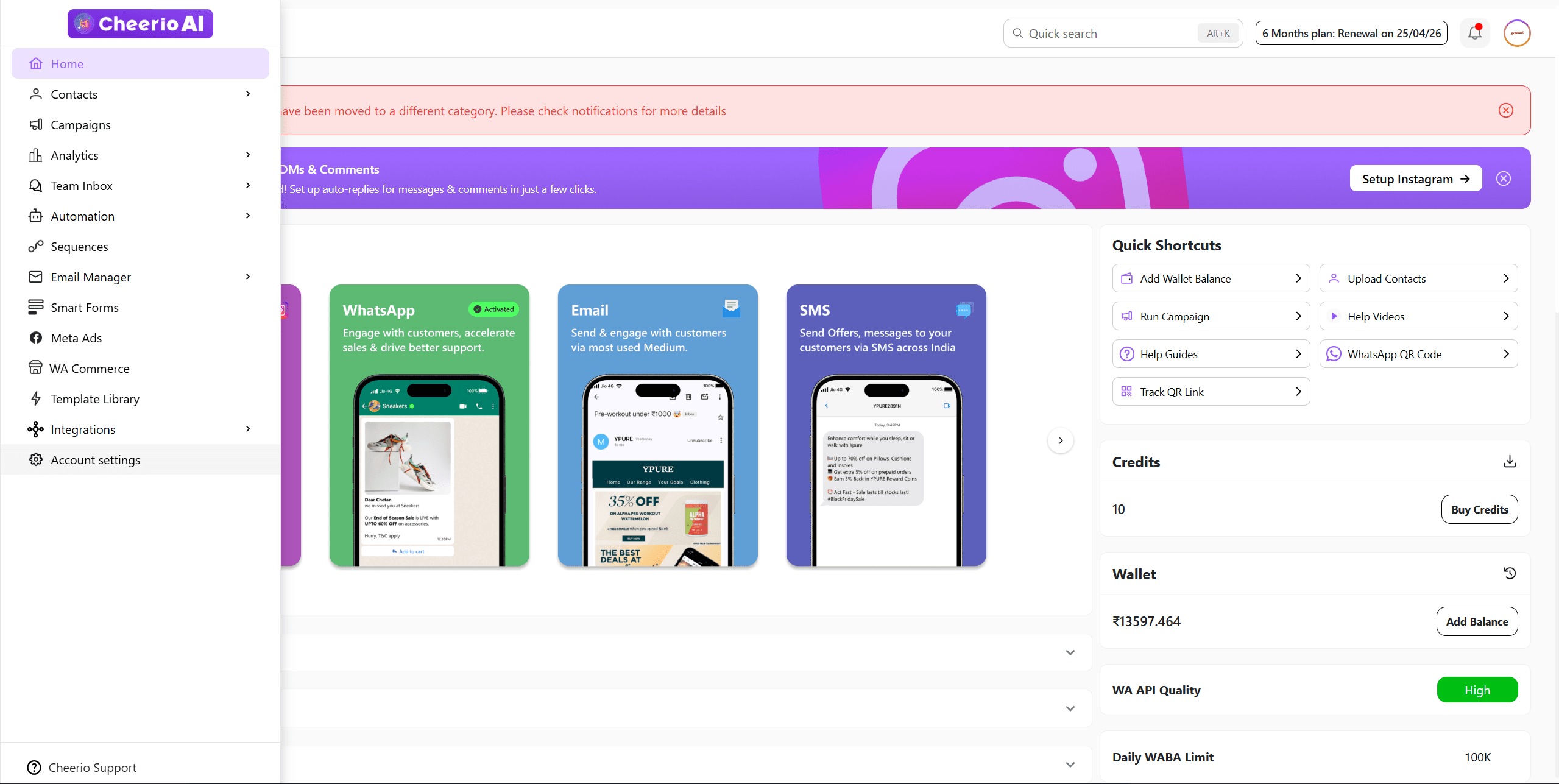
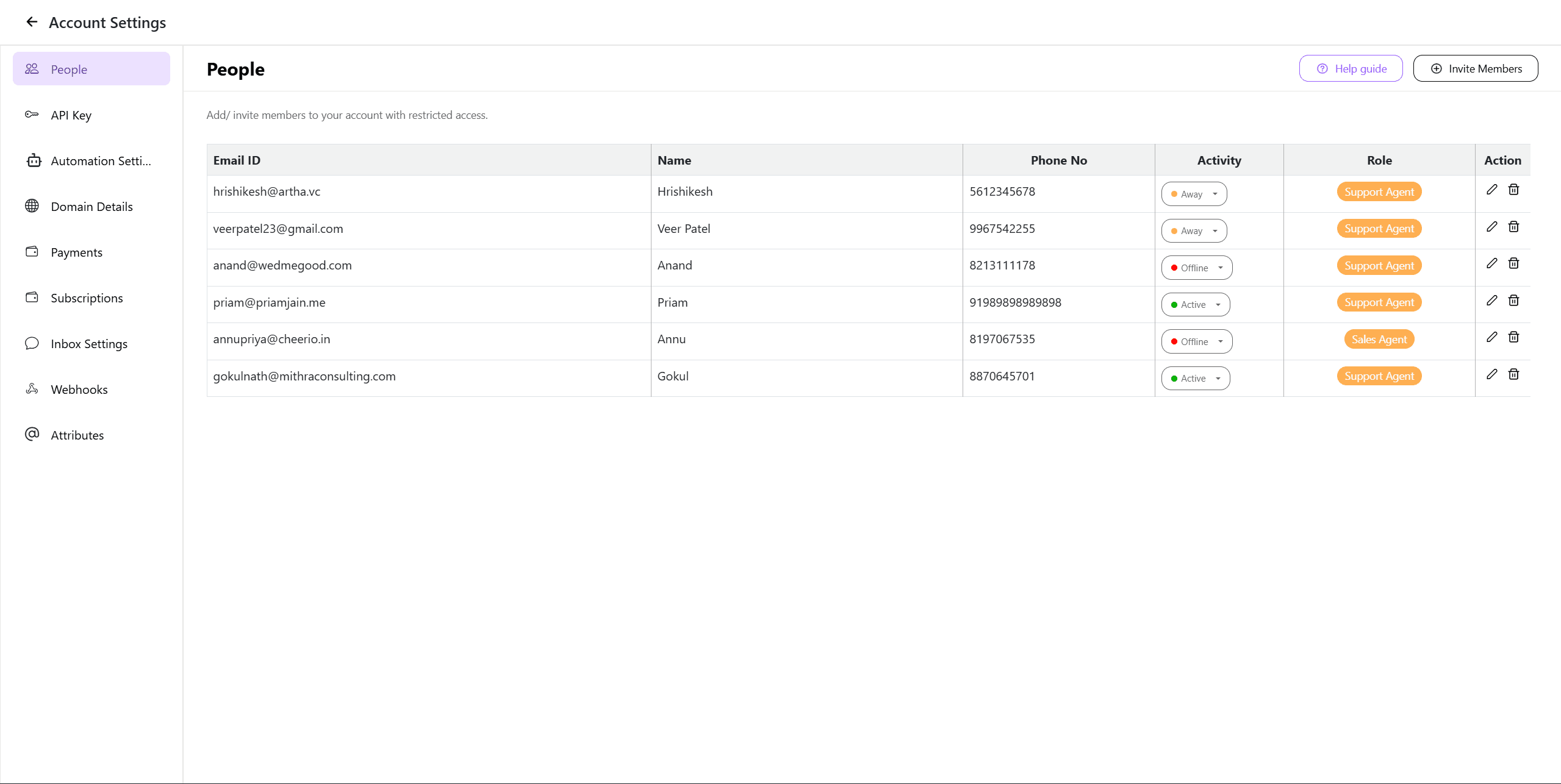
In people tabs, click on invite members button to invite
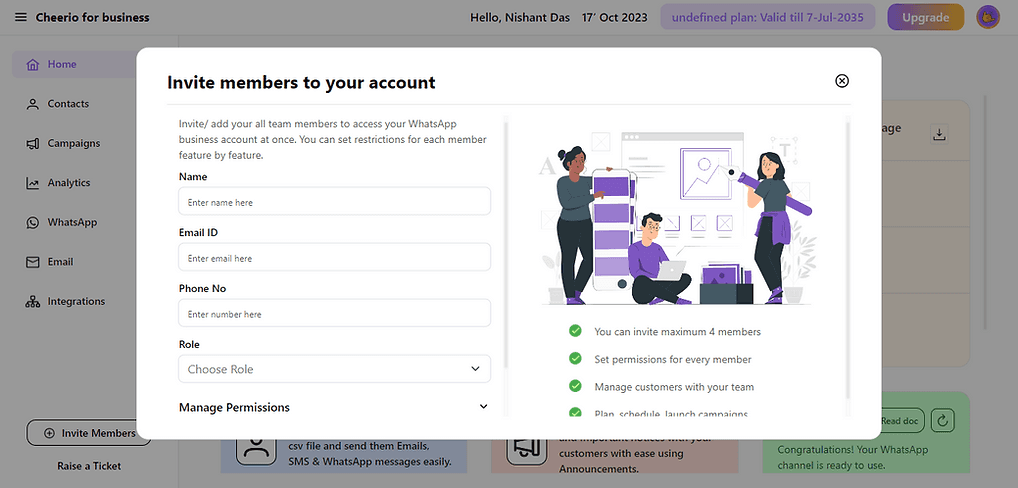
2. Enter the member details you want to invite
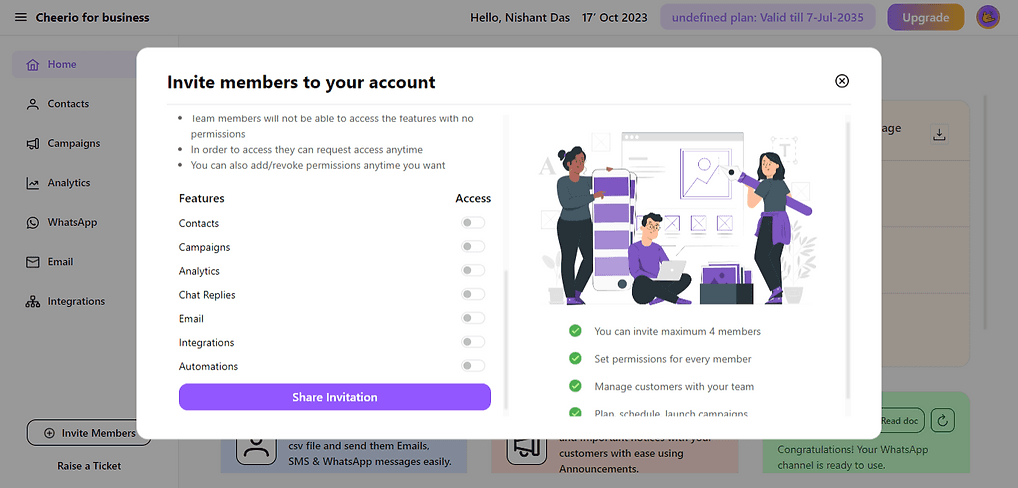
3. Manage permissions for the member you want to invite
Great! your invite is being shared with your member on their email ID.
Ask them to accept the invitation & log in using the phone no you have shared on the invitation details