Get started with Cheerio MCP
Cheerio MCP
Connect AI assistants such as Claude and other MCP-compatible clients directly to your Cheerio account.
With Cheerio MCP, an AI assistant can securely access your Cheerio data and perform actions on your behalf — such as checking campaign performance, managing contacts, sending WhatsApp messages, working with workflows, handling inbox conversations, managing AI and voice assistants, and more.
What is Cheerio MCP?
Cheerio MCP (Model Context Protocol) allows AI assistants to interact with your Cheerio account through a standardized interface.
Instead of manually copying information from Cheerio into an AI assistant, you can connect your account and ask questions or perform actions using natural language.
For example:
"How much revenue did my WhatsApp campaigns generate this month?"
"Show me my campaigns from the last 7 days."
"Create an audience called VIP Customers."
"Send this WhatsApp template to John."
"Which workflows are currently live?"
"Show me my open WhatsApp conversations."
"Assign this conversation to Rahul."
The AI assistant uses the appropriate Cheerio MCP tool to retrieve information or perform the requested action.
Getting Started
Requirements
You need:
An active Cheerio account
A Cheerio API key
An MCP-compatible AI client
Your API key can be generated from:
Cheerio Dashboard → Manage Profile → API Key
Keep your API key private. Anyone with access to the key may be able to perform actions available to your account through MCP.
Connect Cheerio MCP
Cheerio MCP is available through a Streamable HTTP endpoint:
https://newprod.api.cheerio.in/mcp
https://newprod.api.cheerio.in/mcp
https://newprod.api.cheerio.in/mcp
Configure your MCP client with the following:
{
  "mcpServers": {
    "cheerio": {
      "type": "http",
      "url": "https://newprod.api.cheerio.in/mcp",
      "headers": {
        "x-api-key": "<YOUR_API_KEY>"
      }
    }
  }
}
{
  "mcpServers": {
    "cheerio": {
      "type": "http",
      "url": "https://newprod.api.cheerio.in/mcp",
      "headers": {
        "x-api-key": "<YOUR_API_KEY>"
      }
    }
  }
}
{
  "mcpServers": {
    "cheerio": {
      "type": "http",
      "url": "https://newprod.api.cheerio.in/mcp",
      "headers": {
        "x-api-key": "<YOUR_API_KEY>"
      }
    }
  }
}
Replace:
<YOUR_API_KEY>
<YOUR_API_KEY>
<YOUR_API_KEY>
with the API key generated from your Cheerio dashboard.
Claude Code
If you are using Claude Code, you can add Cheerio with:
claude mcp add --transport http cheerio \
https://newprod.api.cheerio.in/mcp \
--header "x-api-key: <YOUR_API_KEY>"
claude mcp add --transport http cheerio \
https://newprod.api.cheerio.in/mcp \
--header "x-api-key: <YOUR_API_KEY>"
claude mcp add --transport http cheerio \
https://newprod.api.cheerio.in/mcp \
--header "x-api-key: <YOUR_API_KEY>"
After connecting, Cheerio will appear as an available MCP server.
Authentication
Cheerio MCP uses the same API key authentication as Cheerio Direct APIs.
Every request must include:
x-api-key: <
x-api-key: <
x-api-key: <
The API key identifies your Cheerio account and ensures that MCP operations are performed within the scope of that account.
Important
Do not share your API key in:
Public repositories
Frontend/client-side applications
Public documentation
Chat messages
Screenshots
Logs
Store it securely as a secret/environment variable.
What Can You Do With Cheerio MCP?
Cheerio MCP provides tools across the following areas:
Category | What you can do |
|---|---|
Analytics | View dashboards, campaigns and reports |
Shopify | Analyze revenue, automation and campaign performance |
Wallet | Check balance and wallet history |
Contacts | Search, add and update contacts and audiences |
View templates, send messages and check status | |
Campaigns | Send and stop WhatsApp campaigns |
Workflows | Create, update, trigger and analyze workflows |
Inbox | Read conversations, reply, assign and hand off chats |
AI Assistants | Create, test and manage AI assistants |
Voice Agents | Create, test and run voice campaigns |
WhatsApp Templates | Create templates and check their status |
Meta Conversions | View pixel events and send conversion events |
1. Analytics
You can ask your AI assistant to retrieve Cheerio analytics.
Available capabilities
Dashboard analytics
Campaign list
Campaign reports
Example questions
"Give me an overview of my Cheerio performance."
"Show me my campaigns."
"Give me the report for campaign XYZ."
"Which campaigns have been running recently?"
2. Shopify Analytics
If your Shopify integration is connected, MCP can provide Shopify-related analytics.
Available capabilities
Revenue summary
Campaign revenue
Shopify automation metrics
Cost vs revenue analysis
Example questions
"How much revenue did my WhatsApp campaigns generate?"
"Show me campaign revenue from Shopify."
"Compare my campaign cost against revenue."
"Give me my Shopify automation metrics."
3. Wallet
You can access your Cheerio wallet information.
Available capabilities
Current wallet balance
Wallet transaction history
Example questions
"What's my current Cheerio balance?"
"Show me my recent wallet transactions."
"How much have I spent recently?"
4. Contacts & Audiences
MCP can help manage your Cheerio contacts and audiences.
Available capabilities
List audiences
Search contacts
Create audiences
Add contacts
Update contacts
Remove contacts from audiences
Example questions
"Find the contact with phone number 9876543210."
"Show me my audiences."
"Create an audience called VIP Customers."
"Add this customer to the VIP Customers audience."
"Update this customer's email address."
5. WhatsApp Messaging
You can interact with WhatsApp messaging through MCP.
Available capabilities
List WhatsApp templates
Send WhatsApp template messages
Send WhatsApp text messages
Check message status
Example questions
"Show me my WhatsApp templates."
"Send the order confirmation template to this customer."
"Send a WhatsApp message to this number saying the order has shipped."
"What's the status of this WhatsApp message?"
Important
Sending a WhatsApp message is an action, not just a data lookup.
Your AI client may ask you to confirm the action depending on its own safety settings.
6. WhatsApp Campaigns
MCP can also manage WhatsApp campaigns.
Available capabilities
Send WhatsApp campaigns
Stop a campaign
Stop all campaigns
Example questions
"Show me my active campaigns."
"Start this WhatsApp campaign."
"Stop campaign ABC."
"Stop all running campaigns."
Important
Campaign actions can affect a large number of contacts.
Always verify the campaign, audience and intended recipients before executing a campaign action.
7. Workflows
Cheerio workflows can be managed directly through MCP.
Available capabilities
List workflows
Get workflow details
Browse workflow templates
Create workflows
Update workflows
Create workflows from templates
Generate workflows using AI
Trigger workflows
Set workflows live
View workflow analytics
Example questions
"Show me all my workflows."
"Which workflows are currently live?"
"Get the details of my abandoned-cart workflow."
"Create a workflow that sends a WhatsApp message when a customer submits a lead."
"Create a workflow from this template."
"Set this workflow live."
"Show me the analytics for this workflow."
8. Inbox
Cheerio MCP can interact with conversations across supported channels including:
WhatsApp
Instagram
Facebook Messenger
Available capabilities
List team agents
Find open conversations
Read conversation messages
Send replies
Assign conversations
Trigger human handoff
Update conversation status
Example questions
"Show me my open WhatsApp conversations."
"Show me the latest messages from this customer."
"Reply to this customer saying we'll get back to them shortly."
"Assign this conversation to Rahul."
"Hand this conversation over to a human agent."
"Mark this conversation as resolved."
9. AI Assistants
If AI Assistants are enabled on your account, MCP can help manage them.
Available capabilities
List AI assistants
Create AI assistants
Test AI assistants
Update AI assistants
Manage knowledge bases
Delete AI assistants
Example questions
"Show me my AI assistants."
"Create an AI assistant for my real estate business."
"Test my sales assistant with this customer question."
"Update the assistant's instructions."
"Add this information to the assistant's knowledge base."
10. Voice Agents
Cheerio MCP can also interact with supported voice-agent functionality.
Available capabilities
List voice agents
Create voice agents
Test voice calls
Send voice campaigns
List voice campaigns
View voice campaign reports
View voice analytics
View call logs
Example questions
"Show me my voice agents."
"Create a voice agent for outbound lead qualification."
"Test this voice agent."
"Show me my recent voice campaign."
"Give me the report for this voice campaign."
"Show me my voice call logs."
Requirements
Voice-agent functionality requires the appropriate voice calling integrations to be configured on your Cheerio account.
11. WhatsApp Templates
You can manage WhatsApp templates through MCP.
Available capabilities
Create WhatsApp templates
Check template status
Example questions
"Create a WhatsApp template for order confirmation."
"What's the status of my order confirmation template?"
12. Meta Conversions
For accounts with the appropriate Meta integration, MCP can work with conversion events.
Available capabilities
Retrieve Meta pixel events
Push conversion events
Example questions
"Show me my Meta conversion events."
"Send a conversion event for this customer."
Meta conversion functionality requires the relevant Meta Ads integration to be connected to your Cheerio account.
Read vs Action Tools
Cheerio MCP provides two broad types of capabilities.
Read operations
These retrieve information without intentionally changing your Cheerio account.
Examples:
View analytics
Search contacts
List campaigns
View wallet balance
Read conversations
View workflow analytics
View call logs
Action operations
These can modify your account or trigger an external action.
Examples:
Send a WhatsApp message
Start a campaign
Stop a campaign
Create a workflow
Set a workflow live
Assign a conversation
Send an inbox reply
Create an AI assistant
Start a voice campaign
When asking an AI assistant to perform an action, clearly specify what you want it to do.
For example:
"Send the order confirmation template to 9876543210."
is clearer than:
"Handle this customer."
Example AI Workflows
Once connected, you can combine multiple Cheerio capabilities in a single conversation.
Campaign Analysis
You could ask:
"Show me my campaigns from this month, compare their revenue, and tell me which ones generated the most revenue."
The AI assistant can retrieve the relevant campaign and revenue information and summarize it for you.
Customer Follow-up
You could ask:
"Find customers in my VIP audience who haven't been contacted recently."
Then:
"Show me the relevant contacts."
And, after reviewing them:
"Send the approved WhatsApp template to these customers."
Inbox Management
You could ask:
"Show me all open WhatsApp conversations."
Then:
"Find the conversations where the customer is asking for human assistance."
Then:
"Assign those conversations to Rahul."
Workflow Management
You could ask:
"Show me my workflows and identify which ones are currently inactive."
Then:
"Get the details of the abandoned cart workflow."
Then:
"Set it live."
Error Handling
If an operation cannot be completed, the MCP server returns an error to the AI client.
Common causes include:
Invalid or missing API key
Insufficient account permissions
Invalid resource ID
Missing integration
Required Cheerio configuration not completed
Third-party integration unavailable
Invalid tool parameters
Account-specific limitations
If an action fails, check the error returned by your MCP client and verify the relevant Cheerio integration or account configuration.
Security
Cheerio MCP is authenticated using your Cheerio API key.
Because MCP can perform actions in your account, treat your API key as a sensitive credential.
Recommended practices
Keep API keys in environment variables or a secrets manager.
Do not commit API keys to Git.
Do not expose API keys in browser/client-side code.
Use a dedicated key where possible.
Rotate your key if you believe it has been exposed.
Review AI-generated actions before executing high-impact operations such as campaigns or bulk messaging.
Troubleshooting
MCP server cannot connect
Verify that:
Your MCP client supports Streamable HTTP MCP servers.
The MCP URL is correct.
Your API key is valid.
The x-api-key header is configured correctly.
Example:
{
  "mcpServers": {
    "cheerio": {
      "type": "http",
      "url": "https://newprod.api.cheerio.in/mcp",
      "headers": {
        "x-api-key": "YOUR_API_KEY"
      }
    }
  }
}
{
  "mcpServers": {
    "cheerio": {
      "type": "http",
      "url": "https://newprod.api.cheerio.in/mcp",
      "headers": {
        "x-api-key": "YOUR_API_KEY"
      }
    }
  }
}
{
  "mcpServers": {
    "cheerio": {
      "type": "http",
      "url": "https://newprod.api.cheerio.in/mcp",
      "headers": {
        "x-api-key": "YOUR_API_KEY"
      }
    }
  }
}
A tool is unavailable
Some Cheerio capabilities depend on external integrations.
For example:
Shopify tools require Shopify integration.
Meta conversion tools require the relevant Meta integration.
Voice functionality requires the supported voice integrations.
AI Assistant functionality requires the required AI infrastructure/configuration.
If the underlying integration is not configured, the corresponding operation may not be available.
Quick Reference
Area | Read | Actions |
|---|---|---|
Analytics | Dashboard, campaigns, reports | — |
Shopify | Revenue, metrics, cost/revenue | — |
Wallet | Balance, history | — |
Contacts | Search, audiences | Add/update/remove |
Templates, message status | Send messages | |
Campaigns | — | Send/stop campaigns |
Workflows | List, details, analytics | Create/update/trigger/live |
Inbox | Conversations, messages, agents | Reply/assign/handoff/status |
AI Assistants | List, test | Create/update/delete/manage KB |
Voice Agents | List, analytics, logs | Create/test/campaigns |
Templates | Status | Create |
Meta | Pixel events | Send conversion events |
MCP Endpoint
Production MCP endpoint:
https://newprod.api.cheerio.in/mcp
https://newprod.api.cheerio.in/mcp
https://newprod.api.cheerio.in/mcp
Authentication header:
x-api-key: <
x-api-key: <
x-api-key: <
Once connected, your AI assistant can discover the available Cheerio tools automatically.
Start with questions like
"Show me my Cheerio dashboard analytics."
"What are my active campaigns?"
"Show me my open customer conversations."
"Find the contact for 9876543210."
"Show me my workflows."
"What is my wallet balance?"
"Show me my voice campaign report."
"Send this WhatsApp template to this customer."
Recommended for You
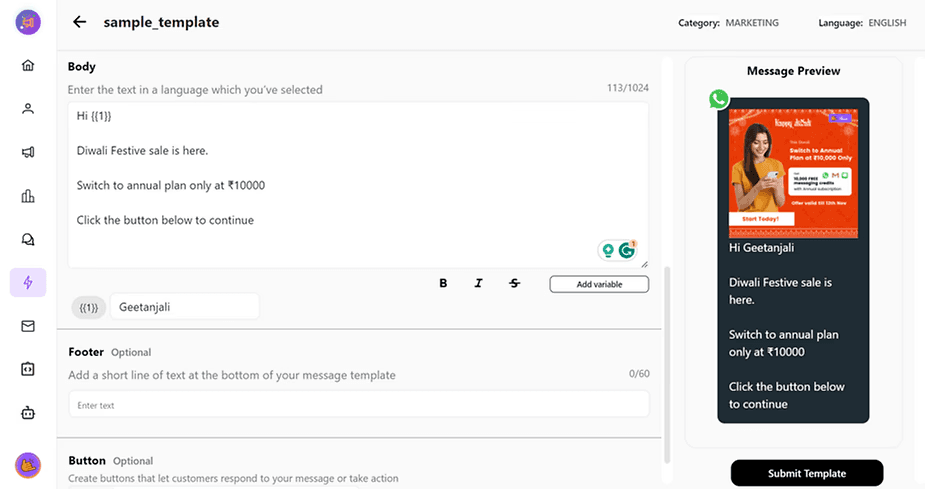
How to create WhatsApp Message Template on Cheerio?
How to create WhatsApp Message Template on Cheerio?
How to create WhatsApp Message Template on Cheerio?

How to use voice ai nodes in workflows
How to use voice ai nodes in workflows
How to use voice ai nodes in workflows
